Theta Delegation Process

Delegating Stake through Mobile Wallet

Download the Theta Wallet app in the App Store / Play Store, or if already installed make sure you have upgraded to latest version.

Once your wallet is unlocked, click the Stakes tab at the bottom of the screen, then click Deposit.

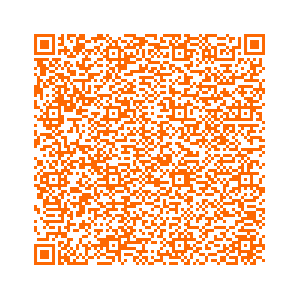
In the Guardian Node Holder (Summary) field of the Theta Wallet app, click the QR code icon and use your device to scan the QR code of the Guardian Node.

For One Click Guardian Nodes, select Delegated Guardian Node and choose a Guardian Node. You don't need the QR code.

You may also write down / copy-paste the Guardian Code Address (Holder and/or Summary) from your phone app and keep it in a safe place for later reference or delegate with Theta Web Wallet.

Then in the Wallet app enter the amount of THETA you want to stake to the selected Guardian Node and click Next. Note that you need to delegate at least 1,000 Theta tokens.

Wait to make sure the stake deposit transaction is confirmed.

In your wallet, you should see the Tfuel balance increasing by 12 Tfuel (if no commission) every 10-12 days per 1,000 Theta tokens staked.

Unstake

Example: abacus summary

0xe4c­05fab­358c4­d253c­b5199­97854­a7c2d­9384b­01b81­402db­3b46c­31568­9e28b­d77d4­2dbe4­61751­88285­498ef­ab7eb­04c1b­26d73­48406­d8405­d2504­a567a­de725­63250­6e793­0433b­0d699­7cb4d­4e9ce­3eb3f­ac00a­55830­6bb70­d9bdf­b4d73­b8a18­ee286­239ff­f89ea­8d4e8­d9218­2b102­cfa68­bc1c0­e96af­aec9d­91189­80531­21325­b9e5d­a69d4­9432e­2a7dd­d0cbb­bb135­e4eae­a0f1c­13805­8b743­dd8c2­8fd11­a3952­a1bd6­c3cd5­30610­ae7f9­a0145­9052e­b2268­a7b96­ba21e­f739d­7bea7­39237­ee72d­c17a3­cee9f­640ce­e285e­ccc97­7cef9­4b8c2­a794a­24750­e6a4f­fc371­1dc8f­90e9b­b6f00­


Frequently Asked Questions

Frequently asked questions found on Discord and Slack (edited)